
One morning, the Akeonet mailbox refuses to load from the desktop browser, while it was working the day before on the phone. The common reflex is to click on the first link received by email promising to “restore access.” It is precisely this action that most often exposes an Akeonet webmail account to compromise. Before discussing features or organization, it’s important to lock down the basics: access, password, and vigilance against fake messages.
Phishing targeting Akeonet webmail: recognizing fake reauthentication messages
Recent campaigns imitate alerts of IMAP sync failures or message delivery issues. The email contains a button that redirects to a fake webmail login page mimicking the Akeonet interface. The goal is simple: to capture the password entered by the hurried user.
The reflex that truly protects: never click on a button or link in an email asking you to reconnect. Open a new tab, type in the official Akeonet webmail address yourself, and log in from that page. If the account works normally, the received message was fraudulent.
Three clues help identify these attempts:
- The sender’s address does not match the domain akeonet.com or akeo.fr, even if the displayed name seems legitimate.
- The message creates an artificial urgency (“your account will be suspended within 24 hours”) to bypass reflection.
- The link, when hovered over without clicking, points to an unknown domain unrelated to Akeonet.
For those who wish to use Akeonet webmail securely, the first step is to develop the habit of never following a reconnection link received by email.

Akeonet password: the link most often neglected
We underestimate the problem because a webmail seems less sensitive than an online bank. However, a compromised email account gives access to password reset messages from other services. It is a gateway to everything else.
Building a strong password
A unique password for webmail is the most effective protection. If the same password is used on a forum, an e-commerce site, and Akeonet, the leak of one compromises all the others. Choose a short phrase transformed into a combination of letters, numbers, and special characters, or use a password manager.
Changing the password after a doubt
When you accidentally click on a suspicious link, or when you notice an email sent from your inbox without being the author, the password change must be immediate. Go through the Akeonet client area (self-care) rather than a link received by email, for the reasons mentioned above.
Akeonet IMAP server and SMTP server: two distinct checks
A classic case confuses many users: the mailbox receives messages normally, but it is impossible to send any. General guides rarely address this asymmetry.
Receiving goes through the IMAP protocol, sending through SMTP. These two services operate independently, each with its own server, port, and encryption mode. When sending fails while receiving works, the problem lies on the SMTP side: blocked port, disabled authentication, or misconfigured encryption.
Feedback on this point varies depending on devices and versions of email clients, but the approach remains the same:
- Check the incoming (IMAP) and outgoing (SMTP) server settings separately in the email client settings.
- Ensure that SMTP authentication is enabled, not just TLS or SSL encryption.
- Compare the settings with those published by Akeo rather than carrying over those from an old device, as a server name may become obsolete after a migration.
Automatically carrying over settings from an old phone or computer to a new device is a frequent source of blockage. The servers or ports may have changed in the meantime.
Browser security and access to Akeonet webmail
We often connect to webmail from a browser, whether on a desktop, laptop, or tablet. A few precautions at this level significantly reduce the attack surface.
Avoid saved sessions on a shared computer
On a family or work computer used by multiple people, the “stay connected” box leaves the session open to anyone who opens the browser. Uncheck this option and manually log out after each visit.
Update the browser
An outdated browser exposes you to vulnerabilities exploited by malicious scripts. Updates regularly fix vulnerabilities that could allow interception of data entered on a login page. Enabling automatic updates avoids having to think about it.
Check the HTTPS lock
Before entering a username and password, check that the address bar displays “https” and the padlock icon. Its absence on an Akeonet login page indicates either a network problem or a counterfeit page.
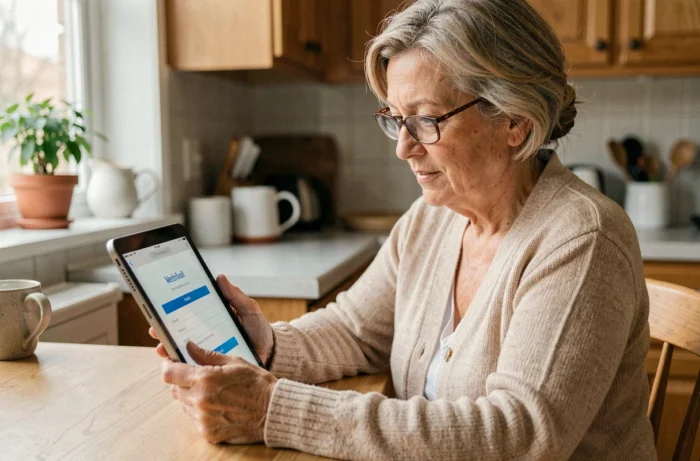
The security of an Akeonet webmail does not rely on a single spectacular action but on a set of simple reflexes: typing the webmail address yourself, using a unique password, distinguishing between IMAP and SMTP settings during configuration, and keeping your browser updated. These are habits that take only a few seconds but significantly complicate the task for anyone trying to access the account.